For students who keep meaning to start

Your apps unlock when your homework’s done.

Every day LockIn makes a short quest out of your own class material: the flashcards you’re about to forget, time locked in, the worksheet that’s due. Until it’s done, TikTok and Instagram send you straight back.

Free right now. Runs in your browser on iPhone, iPad, Android and laptops. You start with just your first name.

LockInLocked in until today’s quest is done: 3 things left.

Today’s quest

Try it: tick off the quest.

How a day goes

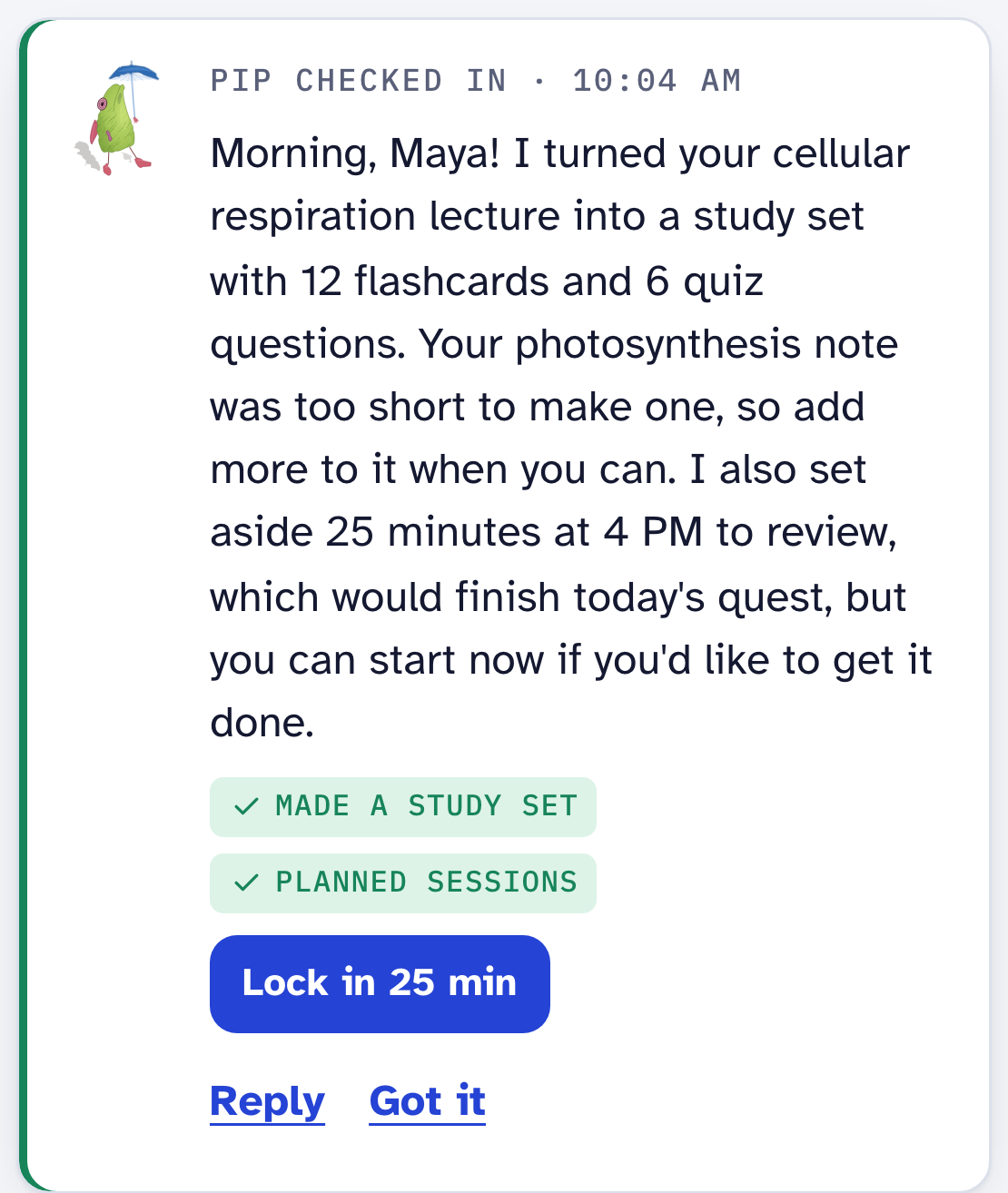
  1. Pip checks in. He already turned this morning’s bio lecture into 12 flashcards and put a 25-minute review on your plan.

  2. You open TikTok. Your phone takes you back to the Home Screen with a note: 12 cards and 25 minutes to go.

  3. You lock in. LockIn holds the screen, and leaving it counts as a slip.

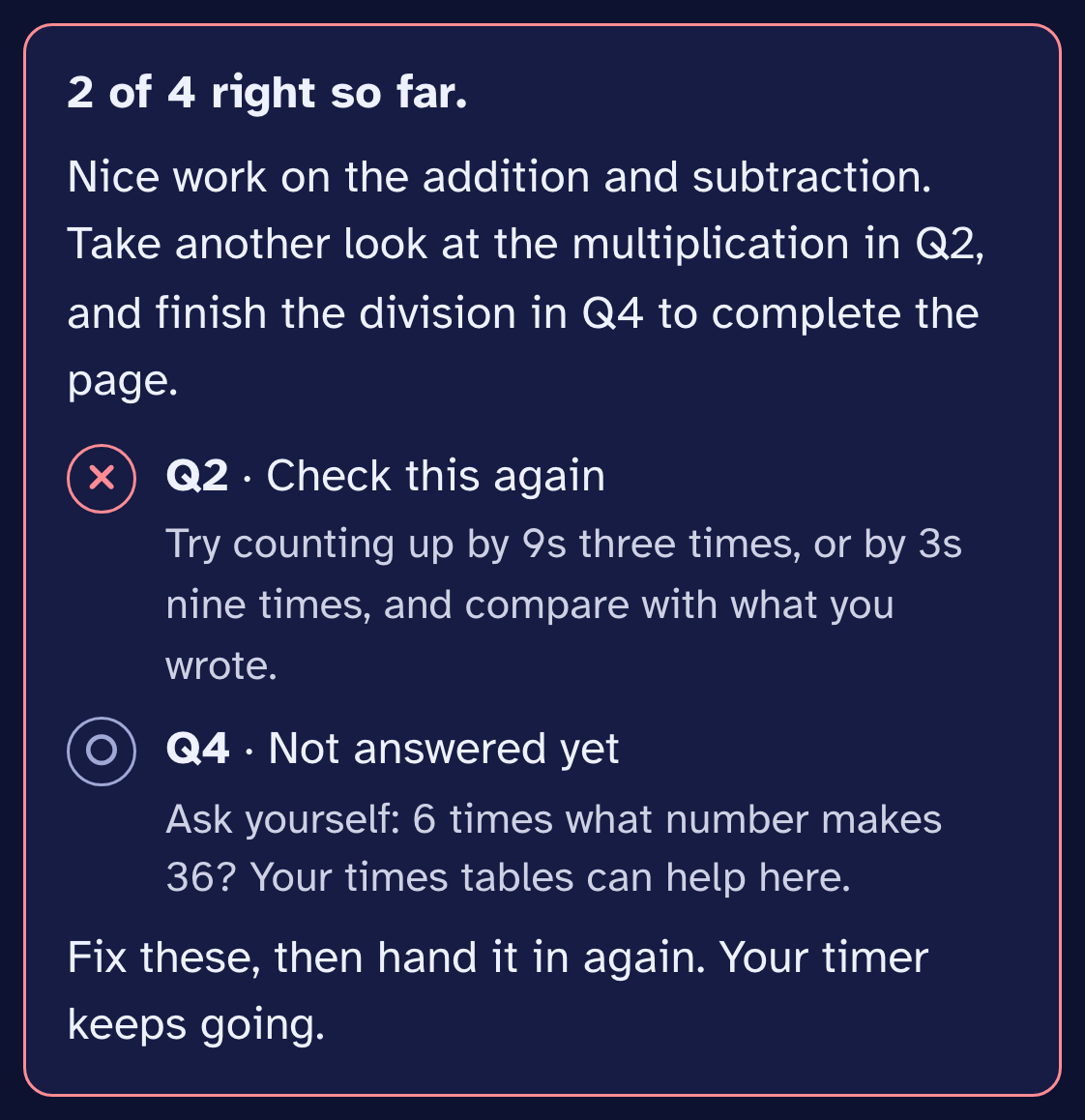
  4. You hand in the math worksheet. Two answers need another look, so the timer keeps going.

  5. Everything checks out. Your apps are open until 9.

Earned screen time

Pick the hours. The quest opens the apps.

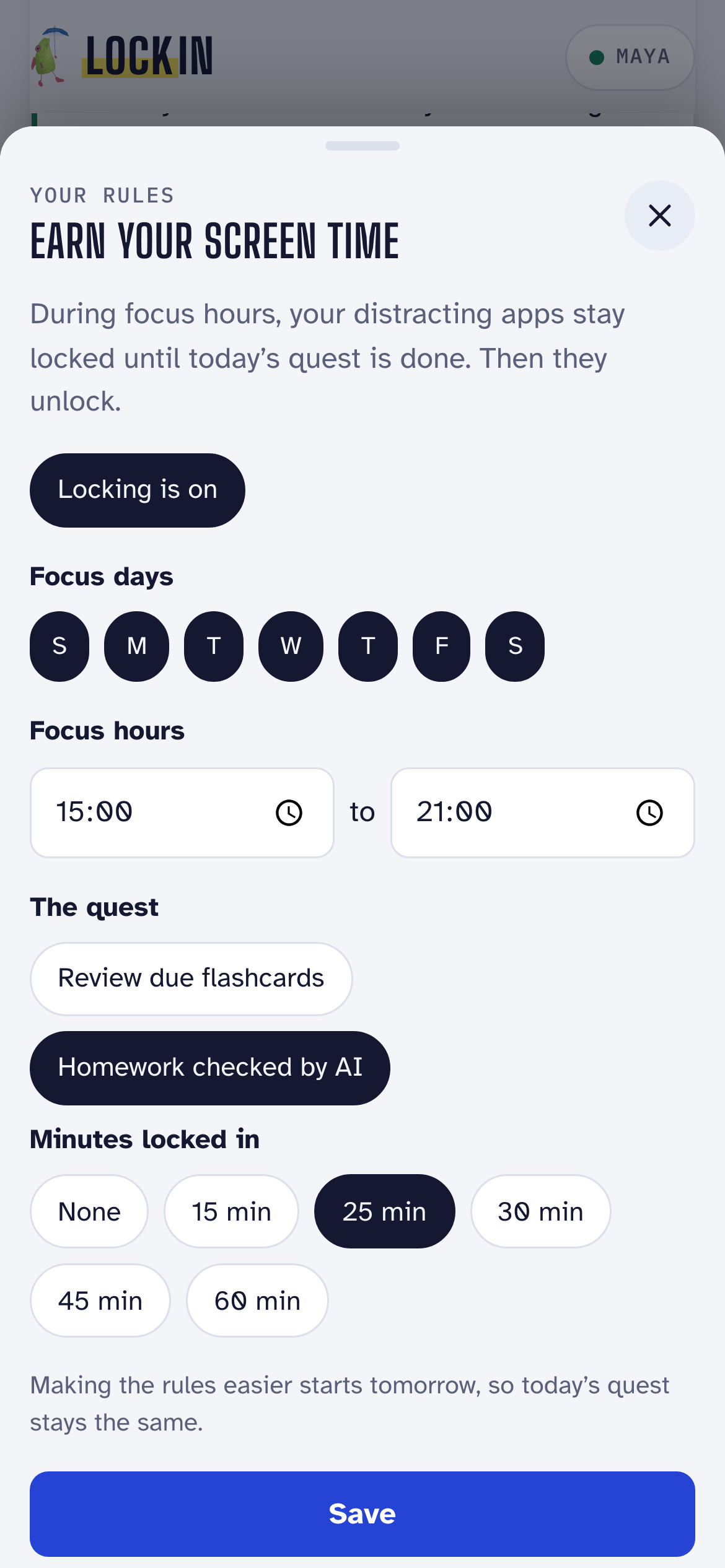
Choose your focus hours and what the quest asks for. During those hours your distracting apps stay locked until it’s done. If you make the rules easier, the change starts tomorrow, so you can’t talk yourself out of today.

On iPhone, locking uses a free Shortcut that takes about two minutes to set up.
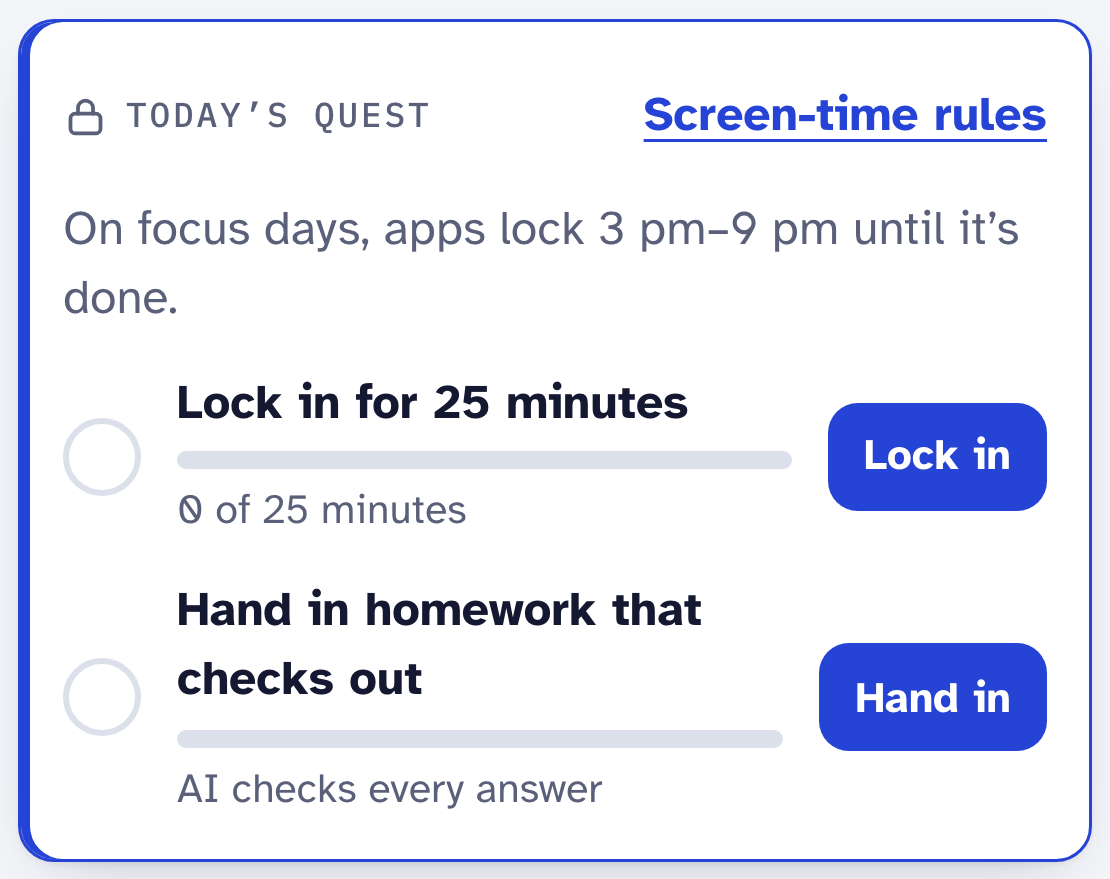
Today’s quest in LockIn: lock in for 25 minutes and hand in homework that checks out, with a note that apps stay locked until it’s done.
Today’s quest in the app

Hand it in early

AI checks every answer. It won’t give you any.

Do the worksheet right on the PDF in LockIn, or on paper and take a photo. Hand it in whenever you’re ready. If every answer is right, you’re done early. If not, you get a hint for each one to fix, and the timer keeps going.

A homework check in LockIn: 2 of 4 right so far, with a hint to check the 9 times table for question 2 and a reminder that question 4 isn’t answered yet.
A real check of a worksheet with one wrong answer and one blank

Pip

A study buddy who checks in on his own.

Pip is a small green fish with a blue umbrella. In the afternoon and evening he looks at where you are: he turns a new lecture into flashcards, moves a session you missed, plans reviews before a test, then tells you what he did. You can talk to him anytime, or turn his check-ins off.

Pip’s check-in on the Today screen: he turned a cellular respiration lecture into 12 flashcards and a quiz and planned a 25-minute review.
What Pip wrote after a real check-in

Your own material

Study what your teacher actually taught.

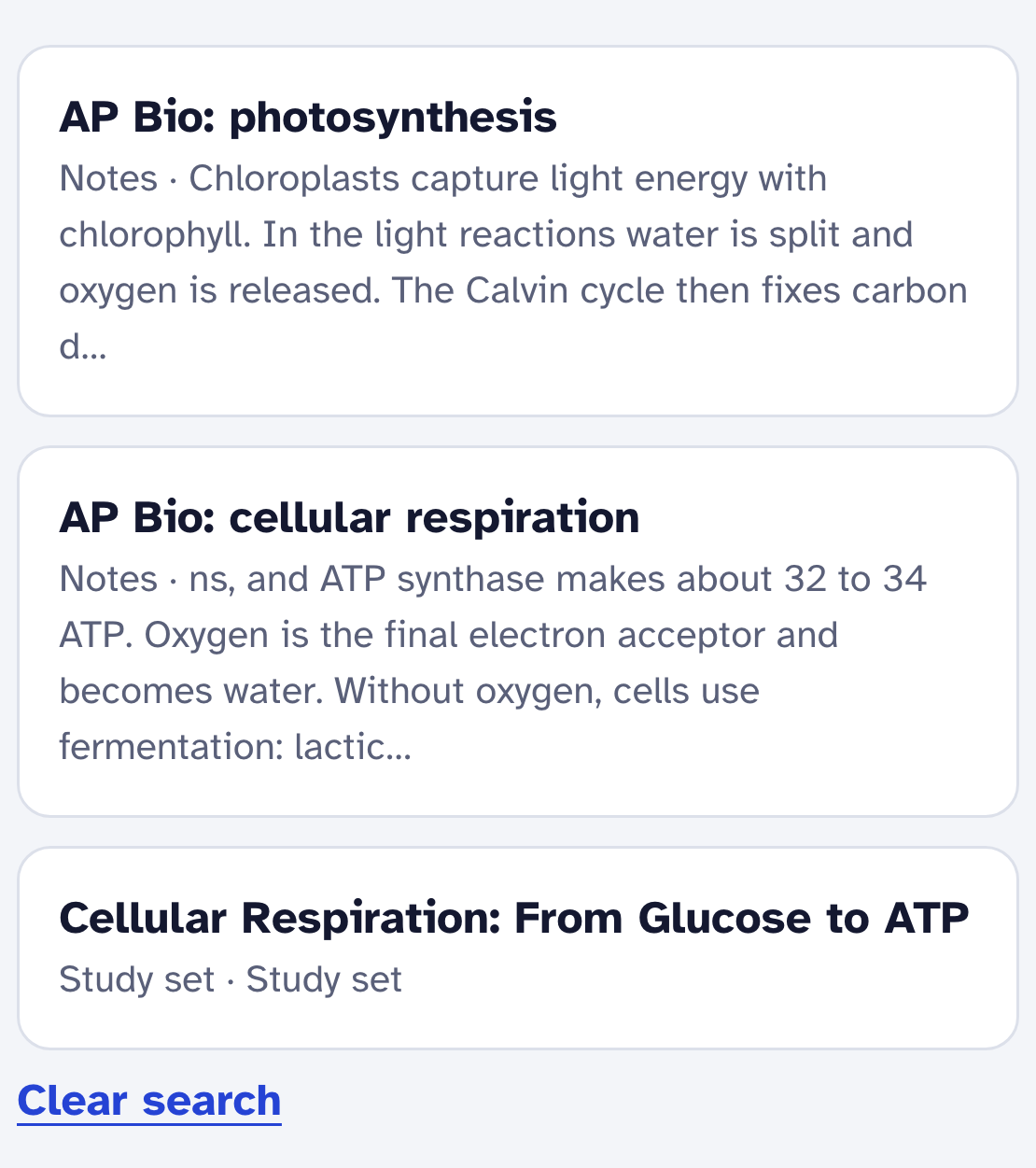
Record a class and LockIn writes the notes. Add PDFs, slides, Google Docs and web pages. Then search by what you mean: “how do cells get energy from food” finds your notes on cellular respiration. Study sets are made from what you added, so they match your class.

Library search results for how do cells get energy from food, showing the student’s cellular respiration and photosynthesis notes.
Library search

Lock-in Drops

A surprise study session with your friends.

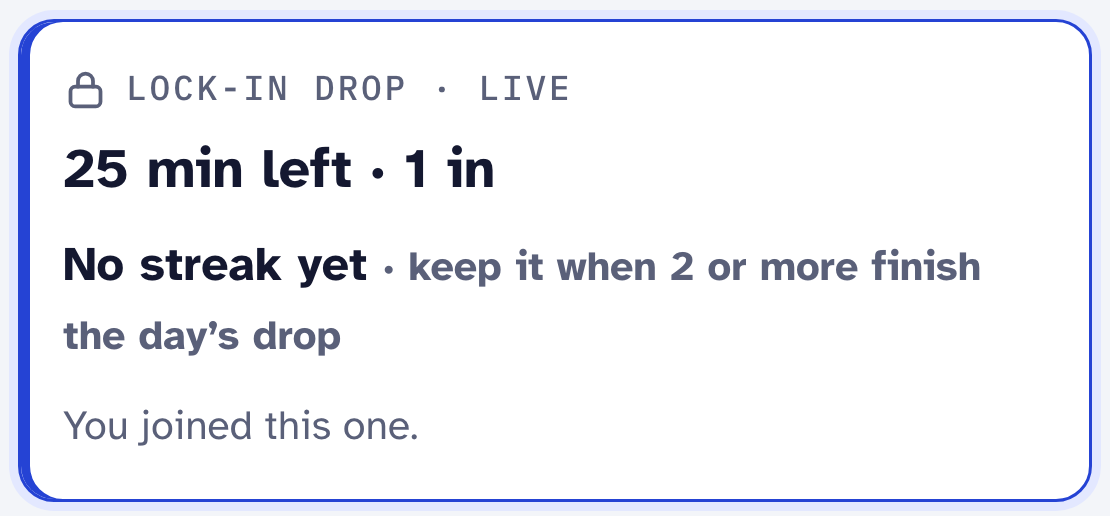
Make a room for your study group. Once a night, at a time nobody knows ahead, everyone gets the same message: 25 minutes, starting now. Join in the first three minutes. When half the room finishes, your streak grows. Rooms have no chat, just cheers.

A live Lock-in Drop in a study room: 25 minutes left, with the room streak.
A live drop in a study room

For parents

Rules you set stay set.

  • Make a room, invite your kid, and set their focus hours and daily quest.
  • They can ask you to change the rules. They can’t switch them off.
  • You get a message when today’s quest is done, with what they did.
  • Homework you assign can be handed in early, with AI checking every answer. You see how many were right.

On iPhone, app blocking uses Apple’s Shortcuts app. Turn on a Screen Time passcode only you know so it stays put. Calls and Emergency SOS always work.

The screen-time rules in LockIn: focus days, focus hours, what the quest asks for, and minutes locked in.

For teachers and tutors

Watch the work happen.

  • Assign a PDF worksheet. Students write on it in LockIn and hand it in when it checks out.
  • Play the replay: every stroke in the order it was written, how long they stayed locked in, and how many times they tried to open another app.
  • Quizzes are graded on our server from your study set’s answers. A score that only the phone reported says “not verified”.
  • Share notes, PDFs and study sets with the whole class in a room.
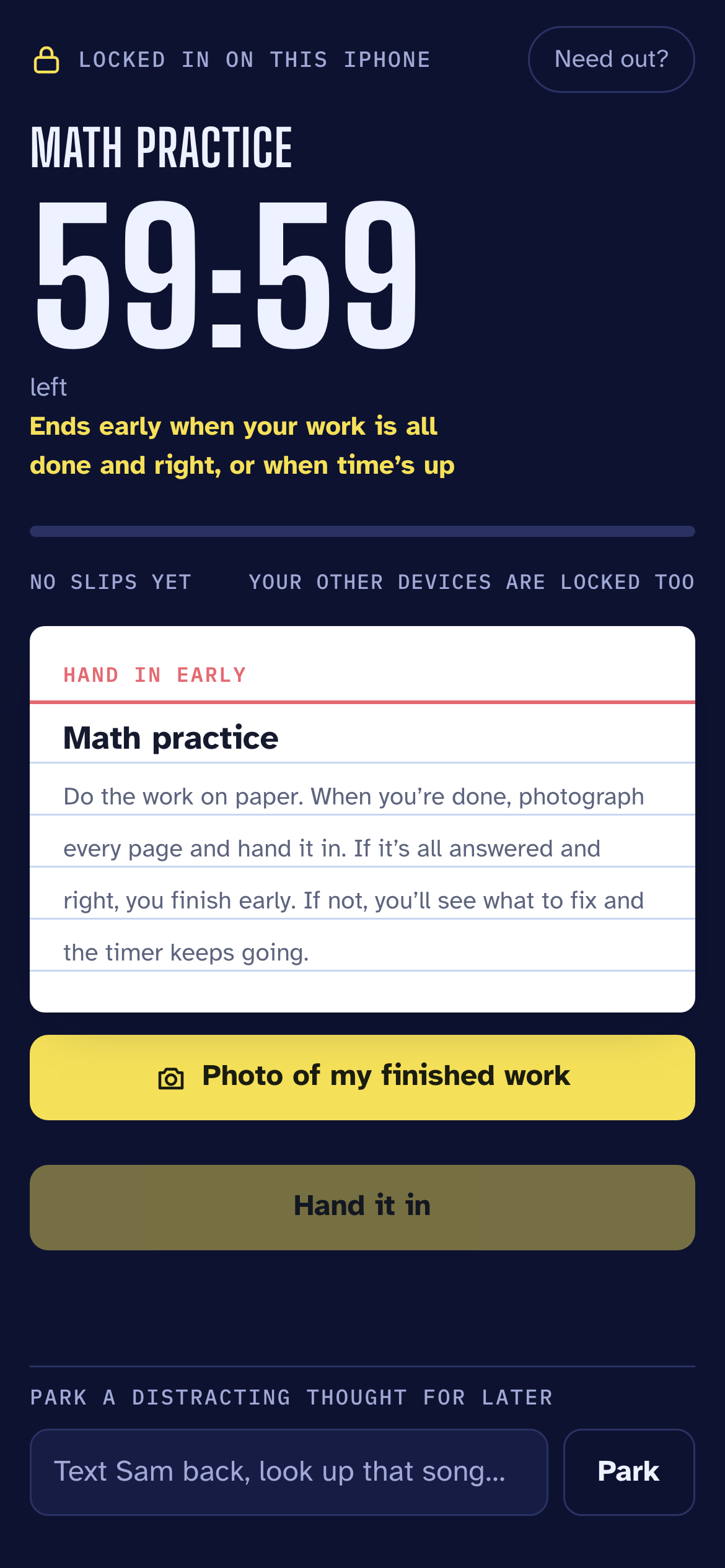
A locked-in session in LockIn: a 59-minute timer, a note that it ends early when the work is all done and right, and the hand-in card.

Your notes are yours.

No ads, and we don’t sell your data. You sign up with a first name, not an email. Delete your account and everything in it from the app, any time.

Read the privacy policy

Questions

Is LockIn free?

Yes. Right now it’s free to use.

Does it work on Android?

Yes, in Chrome. To keep other apps closed during a session, use Android’s App pinning. The app blocker that works with the daily quest is iPhone only for now.

Will the AI do my homework for me?

No. It checks your work and gives you hints. It never writes the answers or graded work for you.

What if I really need to get out of a session?

Calls and Emergency SOS always work. For a session a parent or teacher assigned, you can ask them to let you out early.

Do I need an email or a password?

No. You start with your first name. To use LockIn on another device, pair it with a short code, or save a passkey.

Is it OK for kids under 13?

A parent or guardian should set it up with them.

Start with tonight’s homework.

Open LockIn